
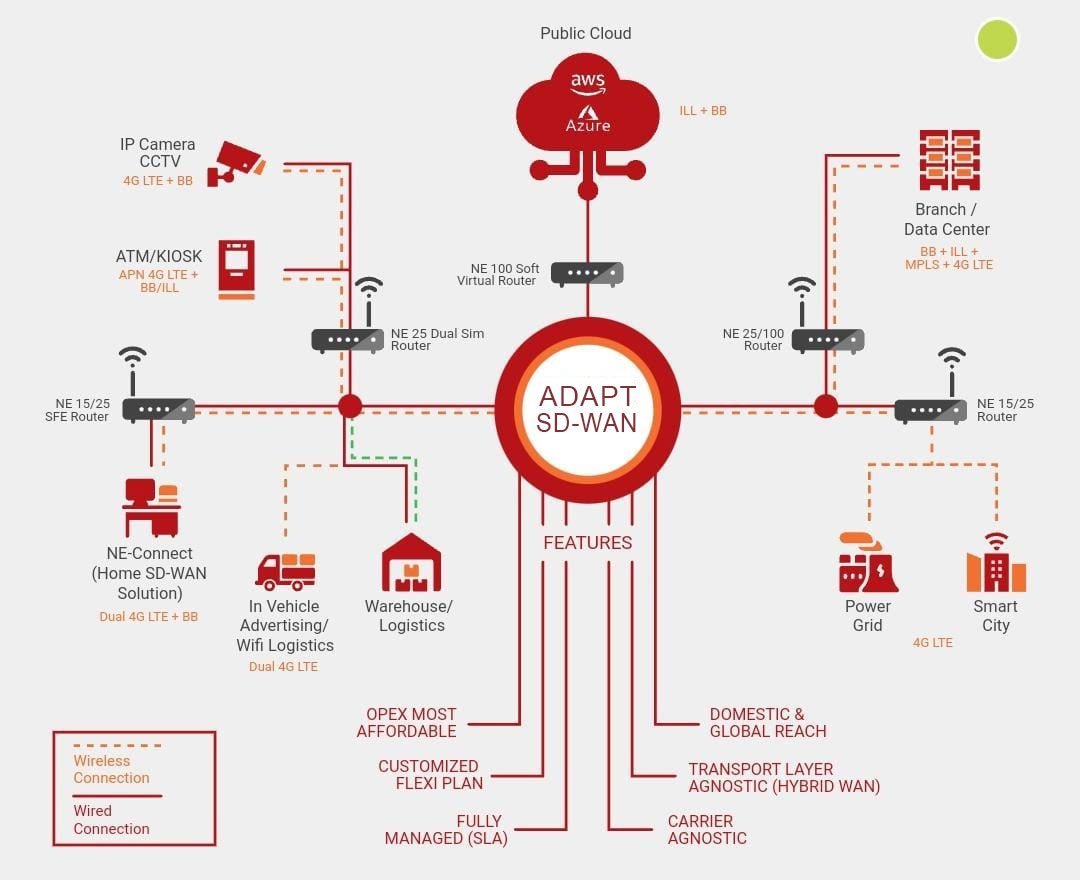
In short: An internet leased line (ILL) gives one site dedicated internet access. MPLS links several of your sites over a carrier's private network. SD-WAN manages many sites over any mix of links, including ILL and MPLS. A single office usually needs ILL; companies with branches use SD-WAN, MPLS or both, with ILL at the main sites.
What each one does
Internet leased line (ILL). A dedicated fibre connection from a carrier to one of your sites, with the same upload and download speed, static public IPs and an uptime SLA. It connects that site to the internet. It does not, on its own, connect your sites to each other. More on internet leased lines.
MPLS VPN. A private network run by a carrier. Each of your sites connects to it, and traffic between your sites travels only inside the carrier's network, never over the public internet. Traffic can be given priority by class, such as voice first. More on MPLS VPN.
SD-WAN. Software on a small device at each site that uses whatever links the site has (leased line, broadband, 4G/5G, even MPLS), builds encrypted tunnels between your sites, sends each application over the best working link and switches over automatically when a link fails. More on managed SD-WAN.
Side by side
| Internet leased line | MPLS VPN | SD-WAN | |
|---|---|---|---|
| What it connects | One site to the internet | Your sites to each other, privately | Your sites to each other and to the cloud |
| Internet access | Yes, dedicated | Not by default | Yes, through the links underneath |
| Where traffic travels | Carrier's network to the internet | Carrier's private network only | Encrypted tunnels over any links |
| Traffic priority | Not across sites | Class of Service set by the carrier | Rules per application, set centrally |
| When a link fails | Site is offline unless there is a backup | Site is down unless a second circuit exists | Moves to another link automatically |
| Adding a site | New line at that site | New circuit from the same carrier | Any internet link plus a device |
| Typical users | Single offices, head offices | Banks, regulated firms, data centre links | Multi-branch companies, retail, cloud users |
Which one does your business need?
| Your situation | What usually fits |
|---|---|
| One office, internet is critical | ILL, with broadband or 4G/5G as backup |
| Two sites that need a private link | A point-to-point leased line, or MPLS if more sites will follow |
| 5 to 100+ branches using cloud apps | SD-WAN over leased line, broadband and 4G/5G at each site |
| Core banking, ERP or data centre traffic that must stay private | MPLS for core sites, SD-WAN for smaller branches |
| A mix of large offices and small outlets | ILL at the large offices, SD-WAN everywhere, MPLS where private paths are required |
They are layers, not rivals
The three are often described as competitors, but in a well-designed network they do different jobs:
- ILL is a link. It is one of the connections SD-WAN can run over, and it is how head offices and data centres reach the internet.
- MPLS is a private transport. It suits traffic that must stay off the public internet and needs predictable paths.
- SD-WAN is the layer that manages links. It can run over ILL, broadband, 4G/5G and MPLS at the same time, and decides which one each application uses.
A common pattern in India: MPLS between head office and the data centre, ILL at both for internet, and SD-WAN at 40 branches using broadband with 4G/5G backup, all joined into one network.
Mistakes to avoid
- Using a single ILL for site-to-site traffic without encryption. ILL is internet access; joining sites over it needs a VPN or SD-WAN.
- Assuming MPLS includes backup. If a site's only MPLS circuit is cut, that site is down. Plan a second circuit, 4G/5G or SD-WAN for important sites.
- Choosing SD-WAN over weak links. SD-WAN makes good use of the links you have; it cannot make a poor connection good. Fix the main link at busy sites first.
- Treating it as all or nothing. Most companies get the best result by mixing them site by site.
If you would like a second opinion on your own sites, we provide all three, along with point-to-point leased lines and backup links, so we can suggest the mix without pushing one product. For a deeper look at two of them, read SD-WAN and MPLS for enterprises.